darkVault
AES-256-GCM encrypted personal backup for Google Drive.
Your files are encrypted on your device before they ever reach Google's servers. Not even Google can read them.
What darkVault does
darkVault is a private Android app that lets you back up your files to Google Drive in a way that keeps them completely private. Every file is scrambled using military-grade encryption before it leaves your phone. The only way to unscramble them is with your master password — a secret that never leaves your device.
Pages
| Page | Who it's for |
|---|---|
| User Guide | Anyone using the app — no technical knowledge required |
| Encryption Architecture | Developers — full crypto implementation and data flow |
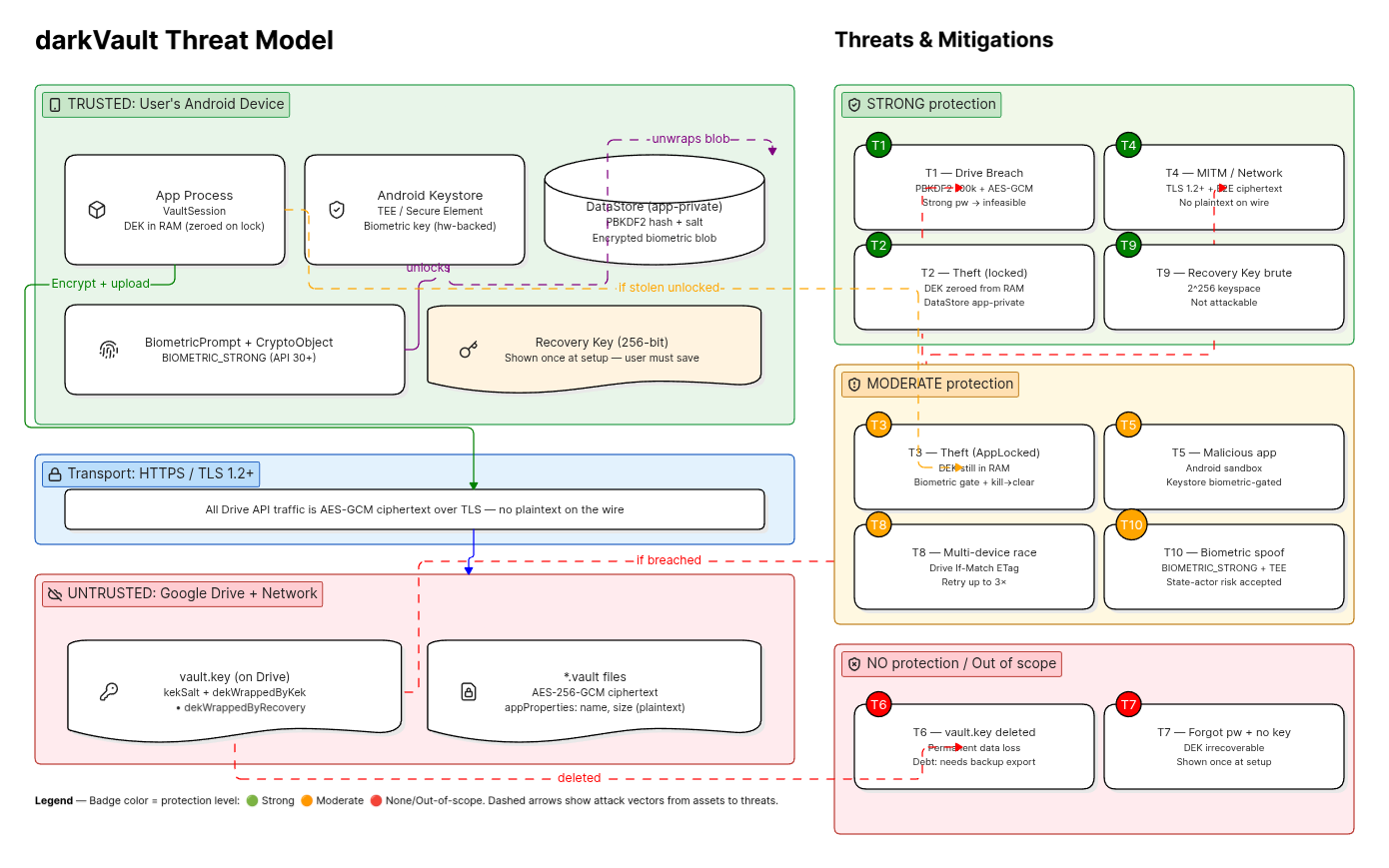
| Threat Model | Developers & security reviewers — what we protect against and known limits |
| FAQ | Everyone — common questions answered |
Key properties
- Files are encrypted with AES-256-GCM — a standard used by banks, governments, and major cloud providers
- Your password is never stored — not on your phone, not on Google Drive, nowhere
- A Recovery Key is generated at setup so you can regain access even if you forget your password
- Encryption and decryption happen entirely on your device; Google only ever sees scrambled bytes
- Zero dependencies on external crypto libraries — uses Android's built-in
javax.cryptoonly
Security at a glance
Your Password
     │
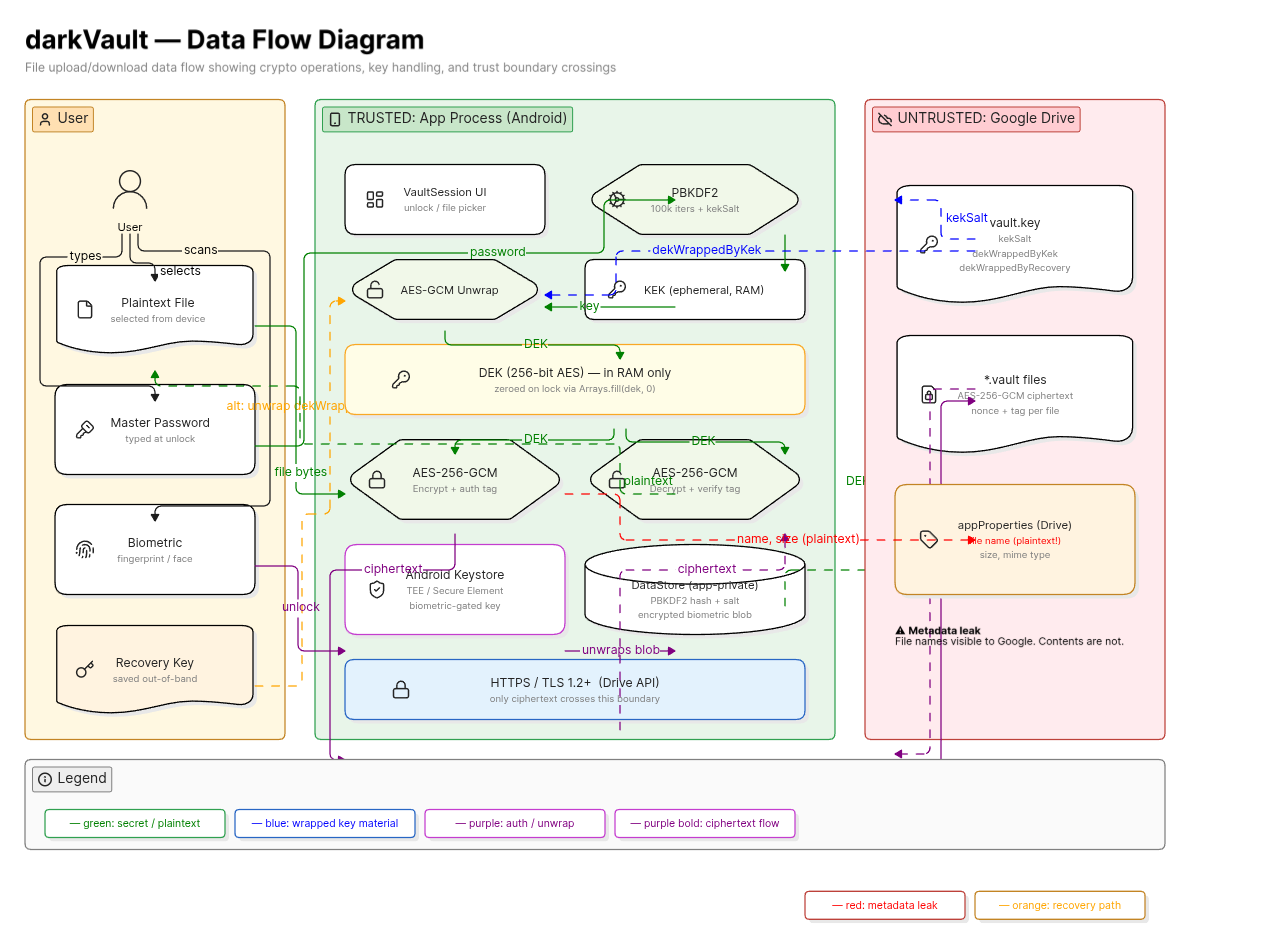
     ▼  PBKDF2 — 100,000 rounds of SHA-256
    KEK  (Key Encryption Key — exists only in RAM during unlock)
     │
     ▼  AES-256-GCM unwrap
    DEK  (Data Encryption Key — random, lives only in RAM after unlock)
     │
     ▼  AES-256-GCM per file
  Encrypted .vault files on Google Drive
The DEK is the actual key that encrypts your files. It is itself encrypted (wrapped) by your password and stored in vault.key on Drive. When you lock the app, the DEK is zeroed from RAM — nothing sensitive persists on-device.
Diagrams
Data Flow
Threat Model
Screenshots
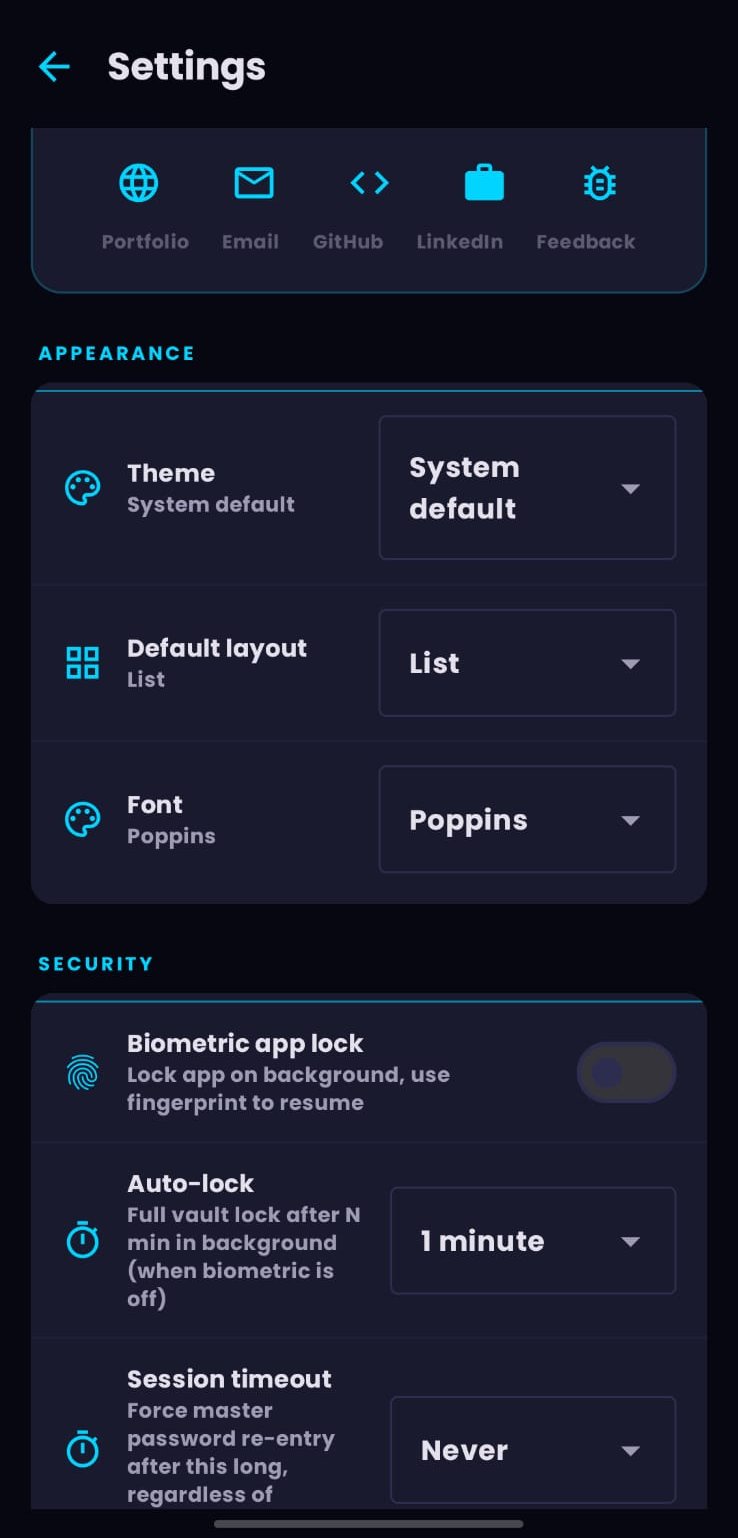 Settings Screen |
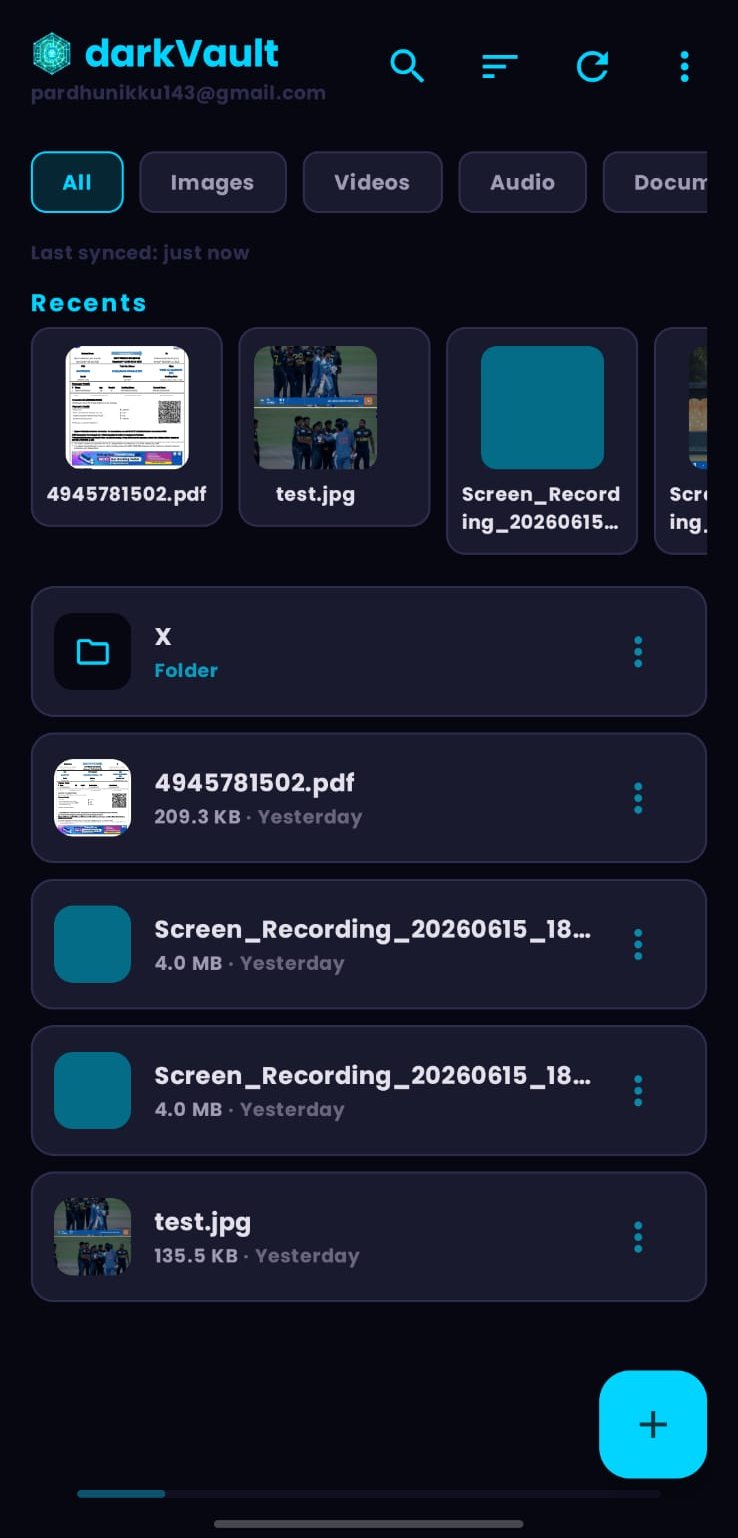 Home Screen |
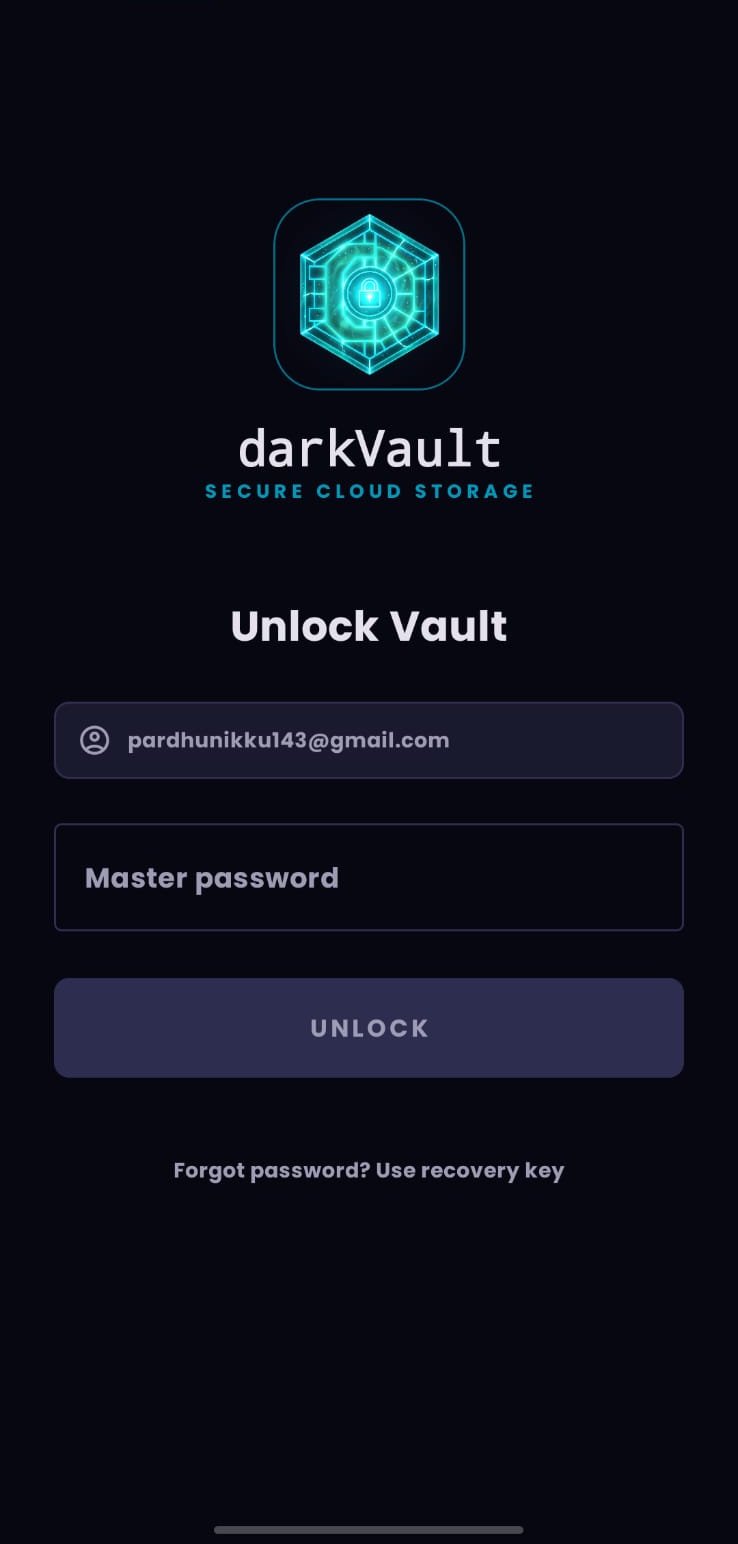 Login Screen |
Privacy Policy
📄 Download the Privacy Policy (DOCX)